Jigsaw Jumble1.0.4
Publisher Description
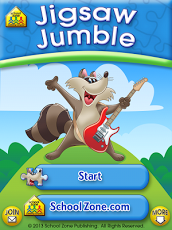
Kids love solving puzzles and School Zone’s Jigsaw Jumble app lets children choose between twelve picture puzzles and 12- or 20-piece versions. The pieces can be reshuffled near endlessly. Move the puzzle pieces to the correct spot in the picture. Select the gear button to switch pictures or number of pieces and to turn music on or off. Kids will listen, laugh, and learn as they expand important reasoning, perception, and problem-solving skills through play and practice. Tap at any time to re-shuffle the puzzle for a new challenge.
Features:
• Audio instructions
• Audio and visual feedback
• 12 puzzles/24 options
Skills:
• Shape identification
• Eye-hand coordination
• Fine motor skills
• Visual/spatial perception
• Problem-solving/reasoning
Ages 5-10
ABOUT SCHOOL ZONE
www.schoolzone.com
School Zone sparks imagination and nurtures children’s natural curiosity. We offer playful, research-based content, brimming with color, creativity and bonus features. A trusted friend to parents and teachers for more than 30 years, we know how kids learn best. Play together with your kids or turn them loose to explore with confidence--no third-party advertising.
About Jigsaw Jumble
The company that develops Jigsaw Jumble is School Zone Publishing. The latest version released by its developer is 1.0.4. This app was rated by 1 users of our site and has an average rating of 3.0.
To install Jigsaw Jumble on your Android device, just click the green Continue To App button above to start the installation process. The app is listed on our website since 2013-10-25 and was downloaded 29 times. We have already checked if the download link is safe, however for your own protection we recommend that you scan the downloaded app with your antivirus. Your antivirus may detect the Jigsaw Jumble as malware if the download link to com.schoolzone.a9951 is broken.
How to install Jigsaw Jumble on your Android device:
- Click on the Continue To App button on our website. This will redirect you to Google Play.
- Once the Jigsaw Jumble is shown in the Google Play listing of your Android device, you can start its download and installation. Tap on the Install button located below the search bar and to the right of the app icon.
- A pop-up window with the permissions required by Jigsaw Jumble will be shown. Click on Accept to continue the process.
- Jigsaw Jumble will be downloaded onto your device, displaying a progress. Once the download completes, the installation will start and you'll get a notification after the installation is finished.
Program Details
System requirements
Download information
Pricing
Version History
version 1.0.4
posted on 2013-10-25
We've updated the graphics in this version. Leave us a review, and let us know what you think. Thank you for supporting School Zone educational apps. We're dedicated to making learning that goes where you go-that's the School Zone Advantage.
version 1.0.4
posted on 2013-06-26
Several fixes and updates
